- 打开Typora目录
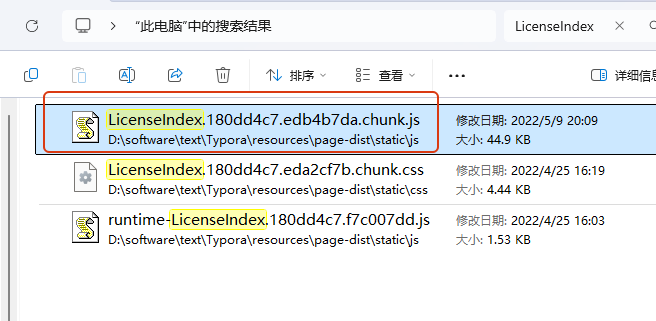
- 搜索 “LicenseIndex” 文件,找到 ‘LicenseIndex’ 开头的 ‘.js’ 文件
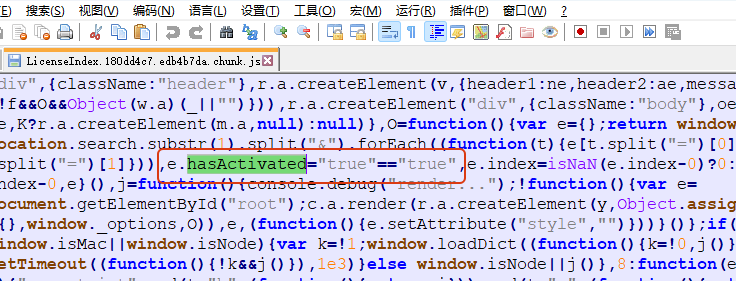
- 在 LicenseIndex 文件中查找 e.hasActivated=
- 可以看到 e.hasActivated=”true”== e.hasActivated。直接将 e.hasActivated 改为”true”,即:e.hasActivated=”true”==“true” 这样就会将1赋值给e.hasActivated
- 打开Typora,已经激活成功!
「个人学习博客」

AI agent
目前经验证,适用 1.10.8。
如果出现图片无法刷新,请见谅,目前难以解决。
If the image cannot be refreshed, please forgive me, it is difficult to solve this problem at the moment.